Product UX · Design Systems · Research & Validation

MOX: Designing clarity for complex packaging workflows

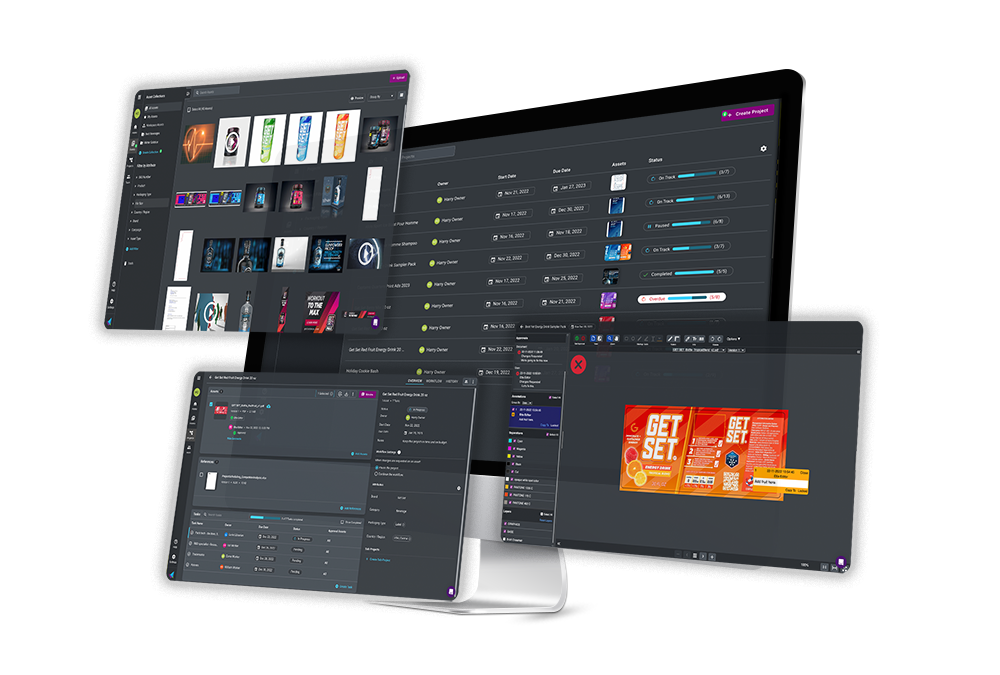
MOX was a cloud-based platform for packaging teams to organize assets, coordinate projects, and manage cross-functional approvals. I designed product experiences and reusable interaction patterns, and used research, validation, and stakeholder alignment to make complex packaging work more visible and manageable.

MOX workspace showing a packaging project and its connected workflow information

Business context

Packaging work moves through many people, disciplines, and dependencies. Marketing, legal, regulatory, R&D, agencies, project managers, and production teams each need different information at different moments. The challenge was to make project status, ownership, assets, approvals, and blockers understandable in one connected experience without oversimplifying the work itself.

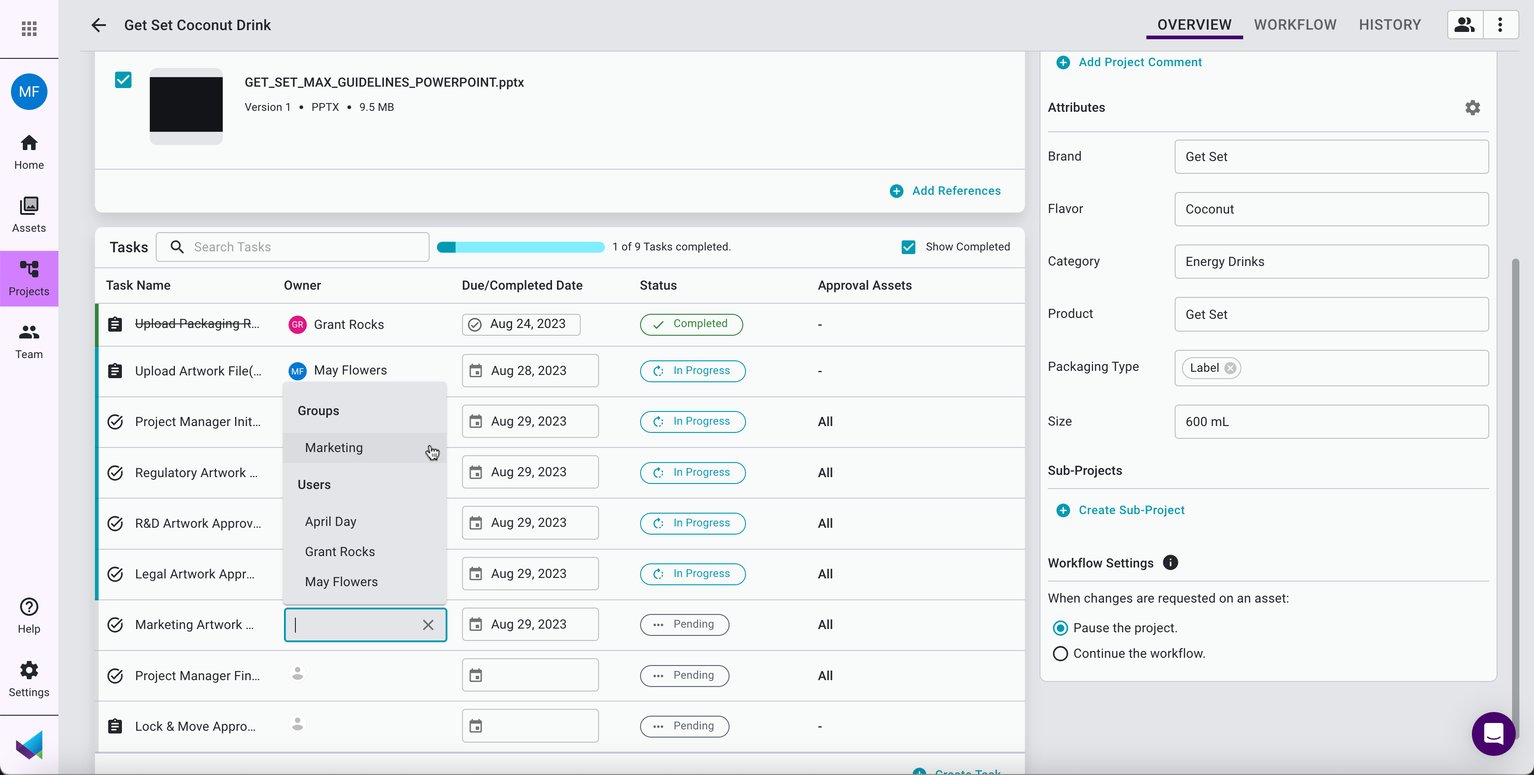
MOX project view with tasks, owners, approval requirements, status, and packaging attributes
A project view brought together tasks, owners, approval requirements, status, and packaging attributes.

Product decision & approach

Make cross-functional approvals visible

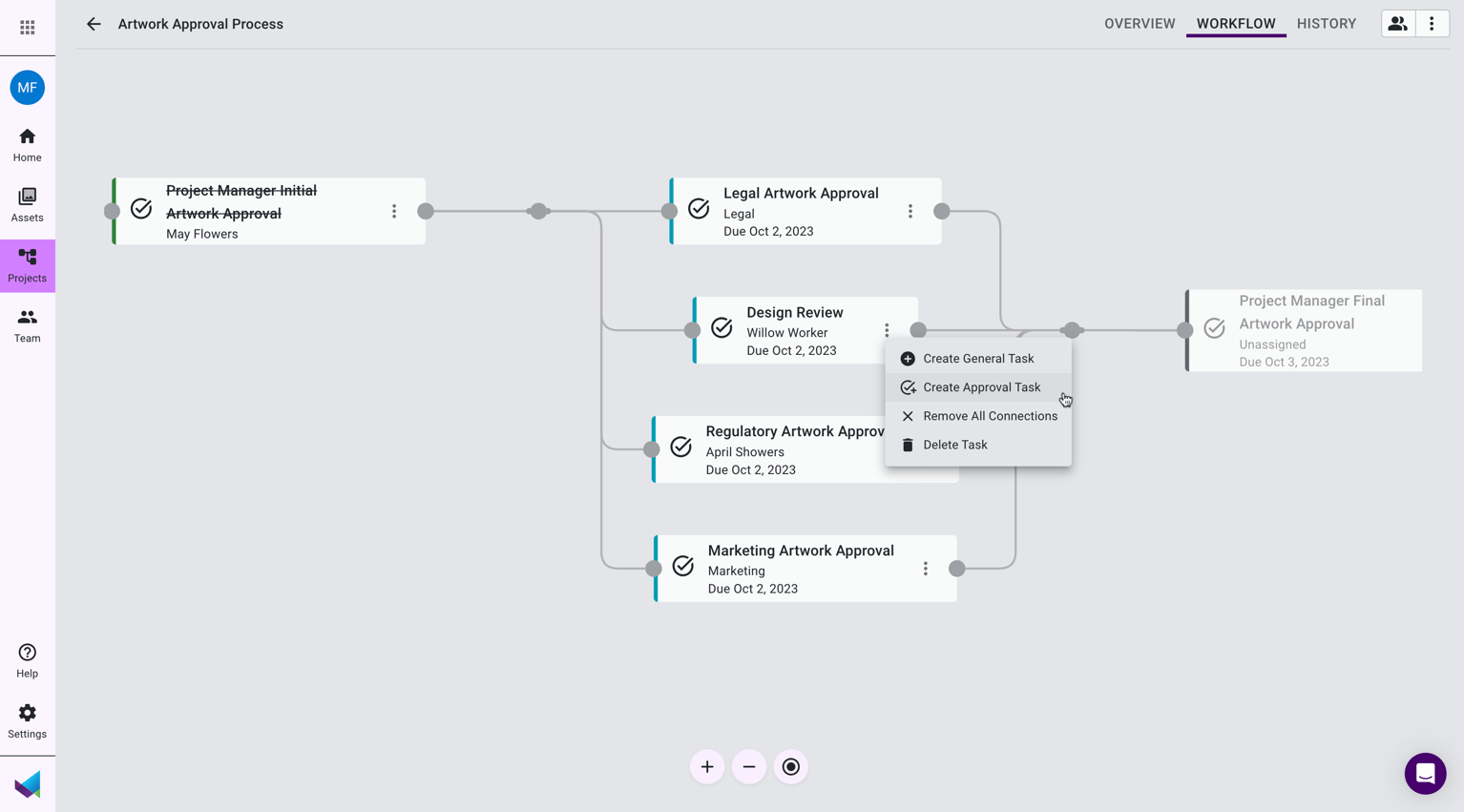
I designed workflow patterns that made parallel approvals and dependencies easier to understand. Rather than forcing every team through a linear process, MOX could represent the real work: reviews occurring across legal, regulatory, marketing, design, and R&D before the project could move forward.

MOX approval workflow showing parallel review paths and dependencies
Parallel approval paths made dependencies and handoffs visible across disciplines.

Give teams a clearer view of active work

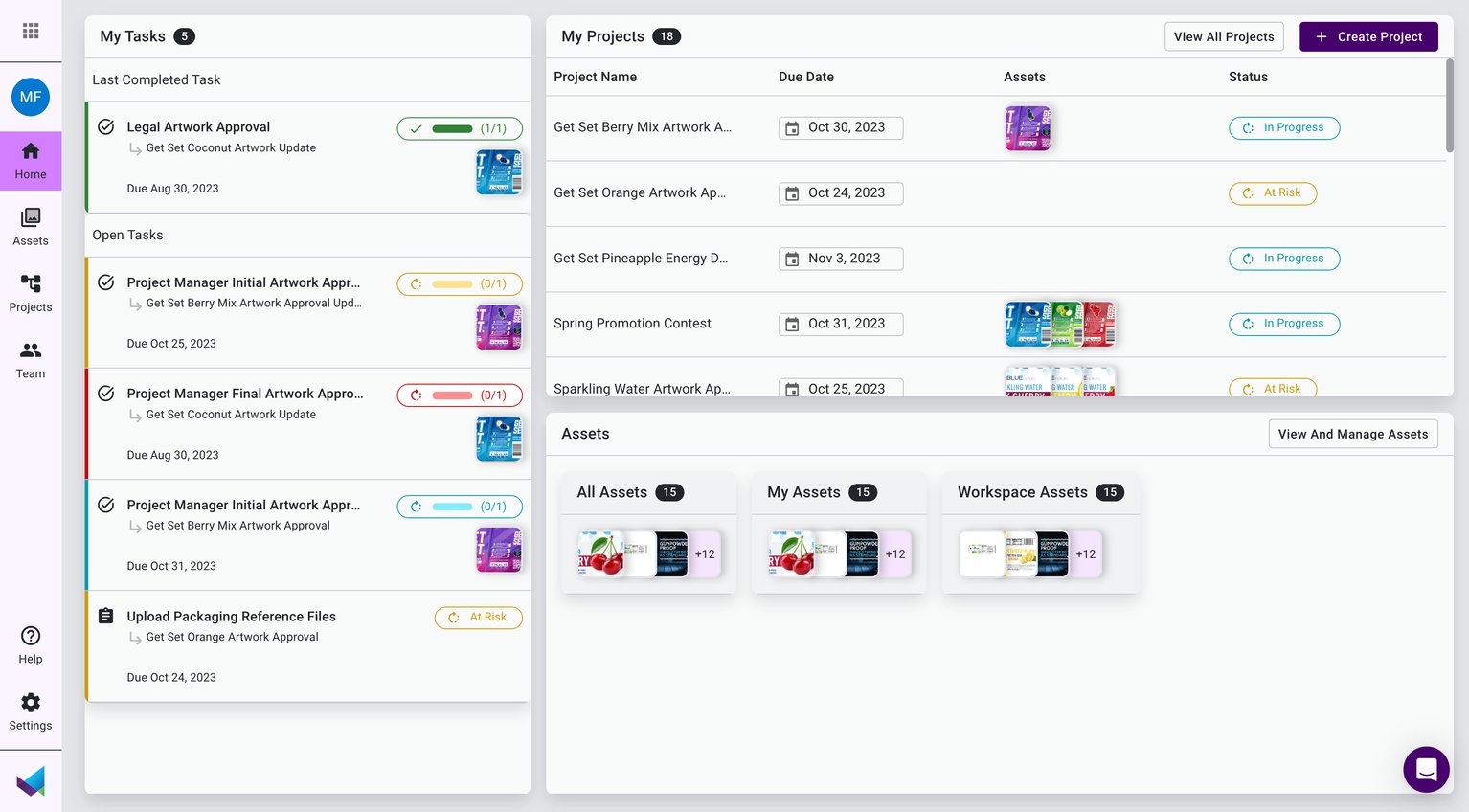
I designed and evolved project-management experiences that surfaced the work needing attention: open tasks, project health, due dates, progress, and connected assets. The goal was to help teams move from fragmented status checking to a more usable operational view.

MOX dashboard showing active work, project status, and connected assets
A dashboard surfaced active work, project status, and the assets connected to each effort.

Connect asset management to the workflow

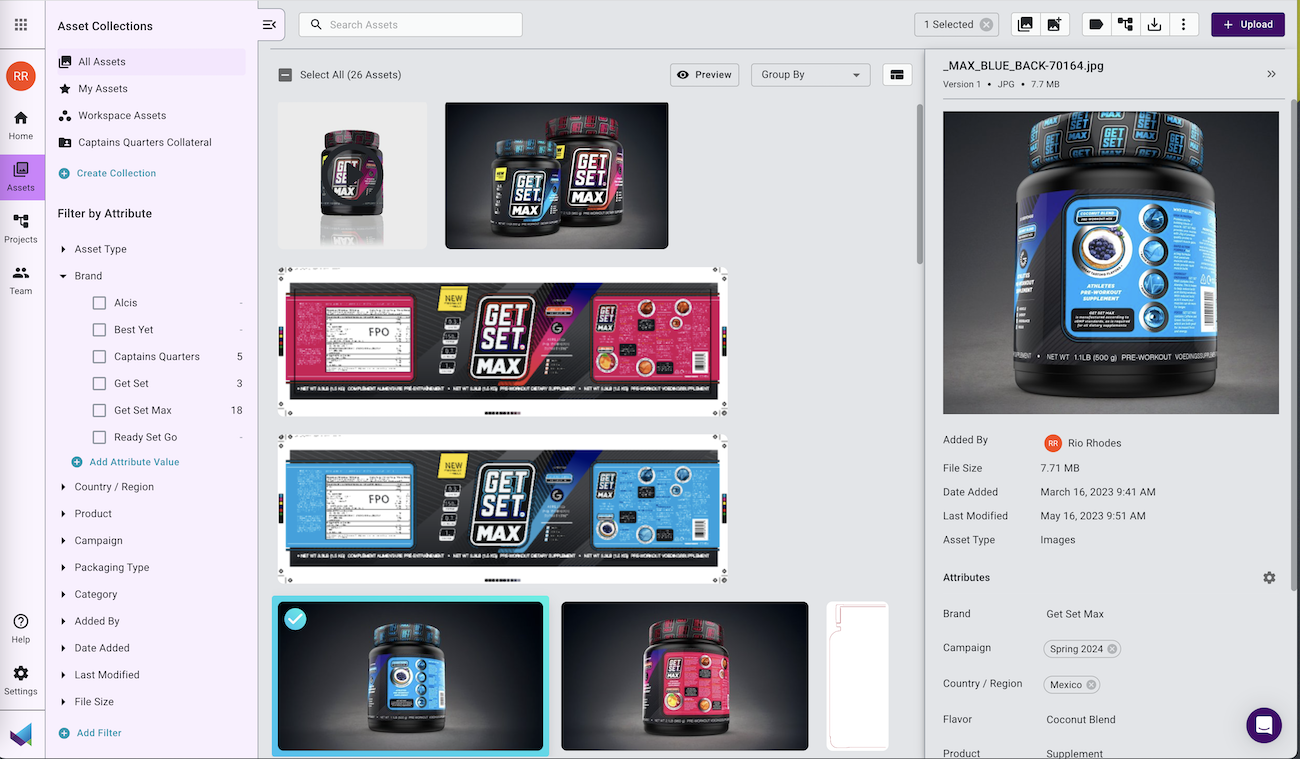
Packaging teams need more than a file repository. I designed experiences that made assets easier to find, filter, preview, and understand in context using metadata, collections, and project relationships to support real packaging work.

MOX asset library with filtered packaging assets, previews, and metadata
Asset browsing, filtering, previewing, and metadata made the library useful within the wider workflow.

How I Worked

Research and design in practice

My work combined product design with continuous learning from users, customers, and internal partners. I used a mix of usability studies, exploratory testing, card sorting, tree testing, first-click and five-second tests, interviews, competitive benchmarking, analytics, and voice-of-customer feedback to identify friction and guide design decisions.

I also facilitated design workshops with cross-functional stakeholders and worked closely with R&D to turn concepts into clear, build-ready UX. Alongside feature work, I established and applied a lightweight component library and design-system patterns to improve consistency across the product.
Outcome & evidence

What changed

  • Delivered and improved product experiences including task lists, task checklists, commenting, light mode, approval onboarding, paused-project states, and Groups-related UI.
  • Applied reusable components, color, icon, and interaction patterns to increase coherence across the MOX experience.
  • Helped teams use user feedback, analytics, and usability research more directly in product and marketing decisions.
  • Received positive customer feedback on the UX improvements that were delivered.
  • Strengthened alignment among product, R&D, marketing, and other cross-functional partners through workshops, research, and iterative design.

Supporting decisions at the point of review

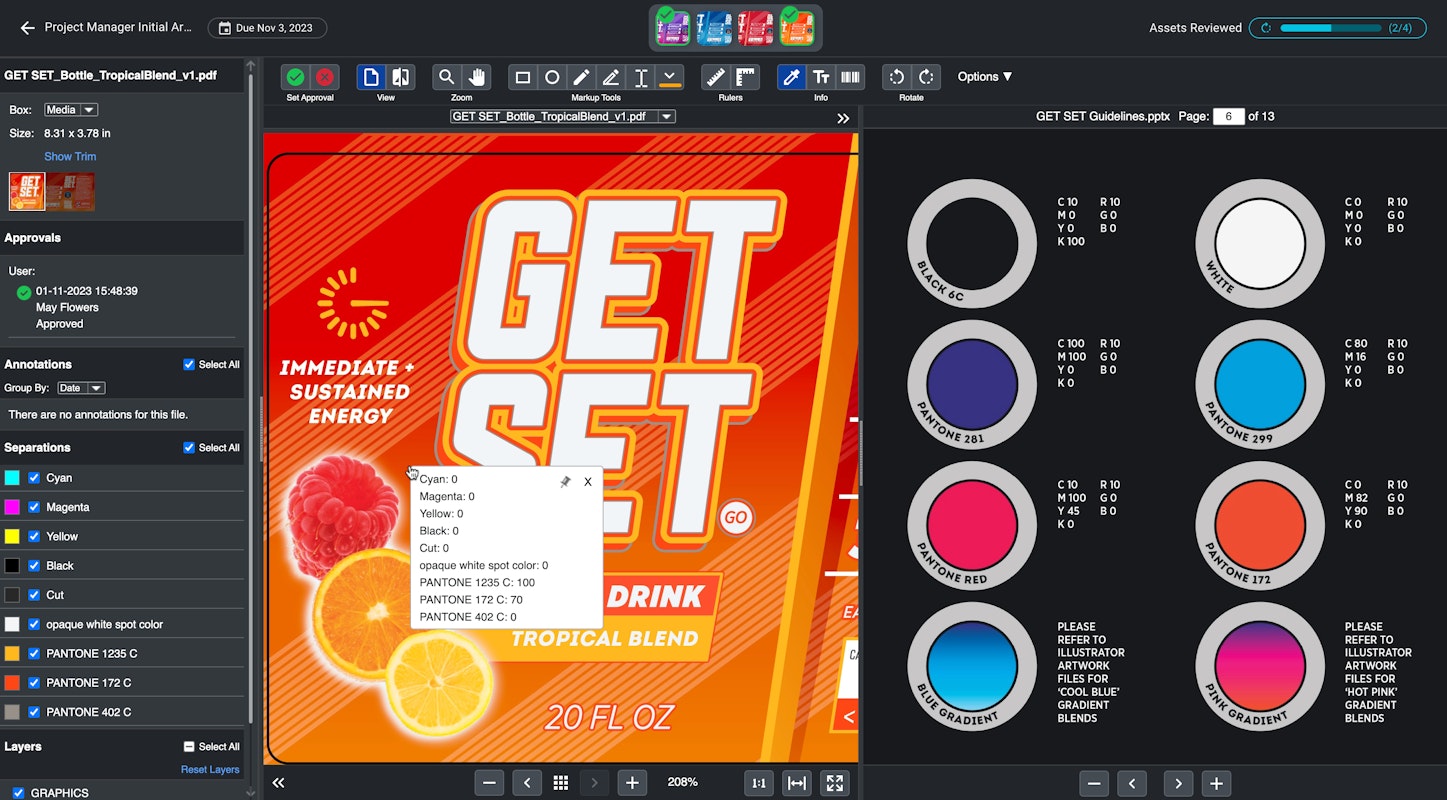
For packaging teams, review is not a generic approval step. It requires close inspection of artwork, production details, color information, and version context. MOX connected that specialized review work to the broader project workflow so approvals could be more informed and traceable.

MOX artwork review interface with production details, color information, and approval history
Artwork review connected production-facing inspection with workflow status and approval history.

Key Learnings

  • Enterprise workflow design succeeds when it reflects real collaboration rather than forcing a simplified process onto teams.
  • Visibility is a UX feature: people need to understand ownership, status, dependencies, and what requires their attention.
  • A scalable product experience depends on both user research and reusable design patterns.